Flux Tools: More Creative Control
FluxProArt ·
Great news for all FLUX enthusiasts! BlackForestLabs has just released an amazing new suite of tools that will give you even more control over your AI image creation process. Let's dive into what's new and what it means for your creative projects!
What's New?
BlackForestLabs has introduced four powerful new tools that work alongside the FLUX.1 image generator you already know and love. Think of these as special add-ons that give you more precise control over your creations. Here's what each tool can do:
1. FLUX.1 Fill: The Magic Eraser and Canvas Expander
Ever wished you could change just part of an image or extend it beyond its borders? That's exactly what FLUX.1 Fill does! It comes with two amazing features:
Inpainting
Think of it as a super-smart eraser tool. You can select any part of an image and replace it with something new while keeping everything else perfectly intact.
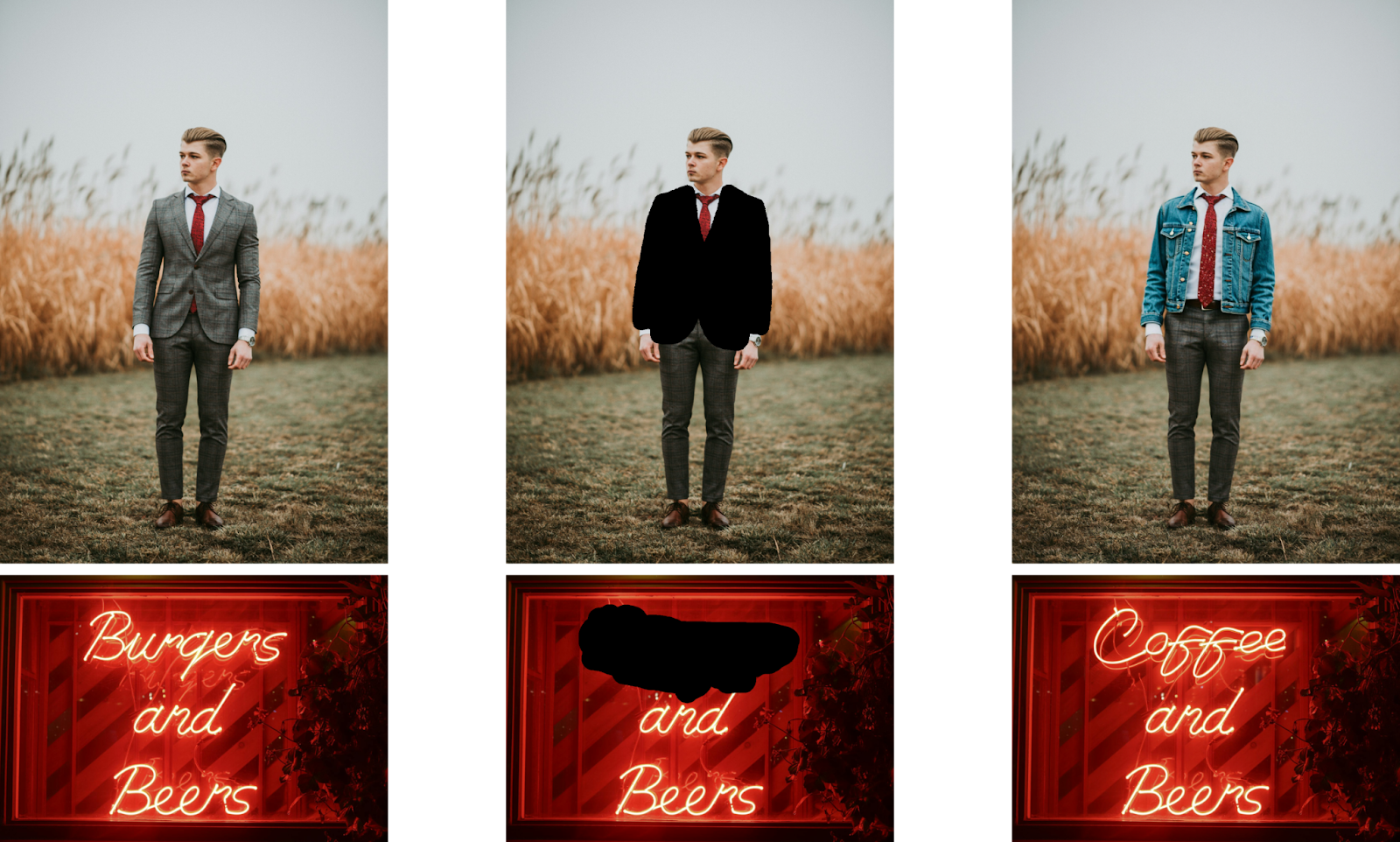
Outpainting
Want your image to be bigger? This tool lets you expand your image beyond its original boundaries, seamlessly adding new content that matches your original style.
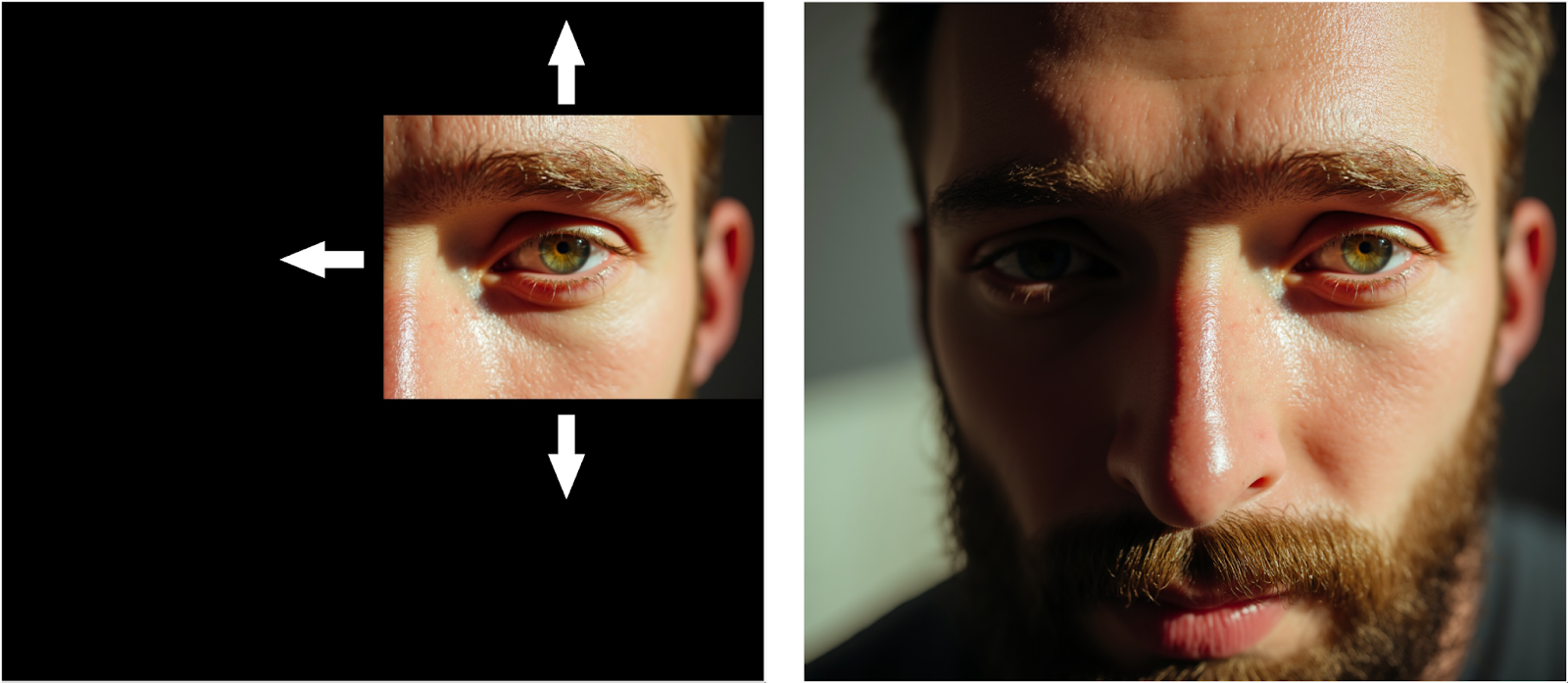
2. FLUX.1 Depth: Master of Perspective
This tool understands the 3D structure of your images. It's like having an art assistant who perfectly understands depth and perspective, ensuring that when you make changes to an image, everything looks naturally three-dimensional and properly positioned.

3. FLUX.1 Canny: The Detail Keeper
When you want to change an image while keeping its basic structure intact, FLUX.1 Canny is your friend. It's particularly great when you want to change the style or appearance of something while maintaining its original shape and form.
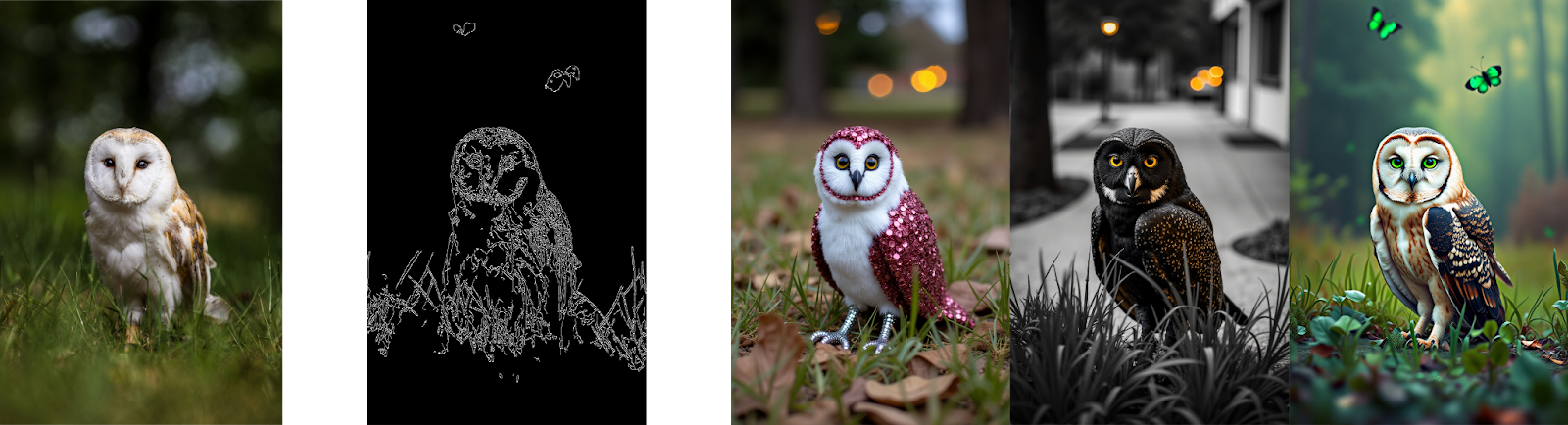
4. FLUX.1 Redux: The Style Mixer
This is your tool for creating variations of existing images or mixing different styles. Want to take an image and see different versions of it? Or maybe combine the style of one image with the content of another? FLUX.1 Redux makes this possible!

Why This Matters for You
These new tools represent a huge leap forward in what you can do with AI image generation. Whether you're:
- Editing existing photos
- Creating new artwork
- Expanding your compositions
- Experimenting with different styles
You now have more precise control over your creative process than ever before.
Real-World Applications
These tools excel in various practical scenarios:
-
Photo Editing:
- Removing unwanted elements with Fill
- Extending photo compositions with outpainting
- Maintaining structural integrity during edits
-
Digital Art:
- Style transfer while preserving depth and structure
- Creating variations of existing artwork
- Expanding canvas size with consistent style
-
Design Work:
- Precise control over image modifications
- Maintaining perspective in architectural visualizations
- Creating multiple variations of design concepts
Where to Try These Tools
We are working hard to bring these new tools to FluxPro.art but in the meantime, you can access these new features through several platforms:
- Directly through the BFL API (for pro users)
- Through partner platforms like fal.ai, Replicate, Together.ai, Freepik, and krea.ai
- For developers and researchers, open-access versions are available on Hugging Face
The Bottom Line
This update makes FLUX more powerful and versatile than ever before. The new tools give you unprecedented control over your AI-generated images, whether you're touching up existing work or creating something entirely new.
We can't wait to see what amazing creations our FluxPro.art community will make with these new tools! Share your experiences and creations with fellow community members, and let's explore these new possibilities together.
Stay creative! 🎨✨
Note: This post covers the major features of the new release. For technical details and specific implementation information, you can refer to the official BlackForestLabs documentation.